Internal CRM implementation: how not to fail miserably (8 common mistakes)

Domantas Mozeris
Published Date
Internal CRM implementation: how not to fail miserably
If you are asking yourself:
“Can we implement the CRM ourselves and just get some advice when needed?”
Short answer: sometimes, but be prepared - it’s a lot more work than it looks.
We’ve seen 100+ internal CRM implementations. Most of them are not good...
There’s a widely cited stat (for example from Gartner) that around 70% of CRM projects fail to meet expectations.
Not because CRM doesn’t work, but because implementation is underestimated.
First thing: it depends on the CRM
Not all CRMs are the same. This matters a lot.
- Pipedrive is relatively simple. You can set it up quickly, and most things are intuitive.
- Zoho CRM is much more flexible, but also more complex. Many setups require using their scripting language (Deluge).
- And then there’s Salesforce. Very powerful, but realistically you need external help and often internal resources to maintain it. Or just avoid it.
We’ll cover CRM selection separately, but the key point is simple:
The more flexible the tool, the easier it is to make mistakes.
When does internal CRM implementation make sense?
In our experience, only in a narrow case:
- you are 1–3 people
- your process is standard and simple
- you actually have time to work on CRM instead of sales
If that’s not your situation, it can still work - just expect more time and effort than planned.
Common mistakes in internal CRM implementation
If you still want to do it internally, here are the main things to keep in mind.
1. You don’t know what you don’t know
This is the biggest issue.
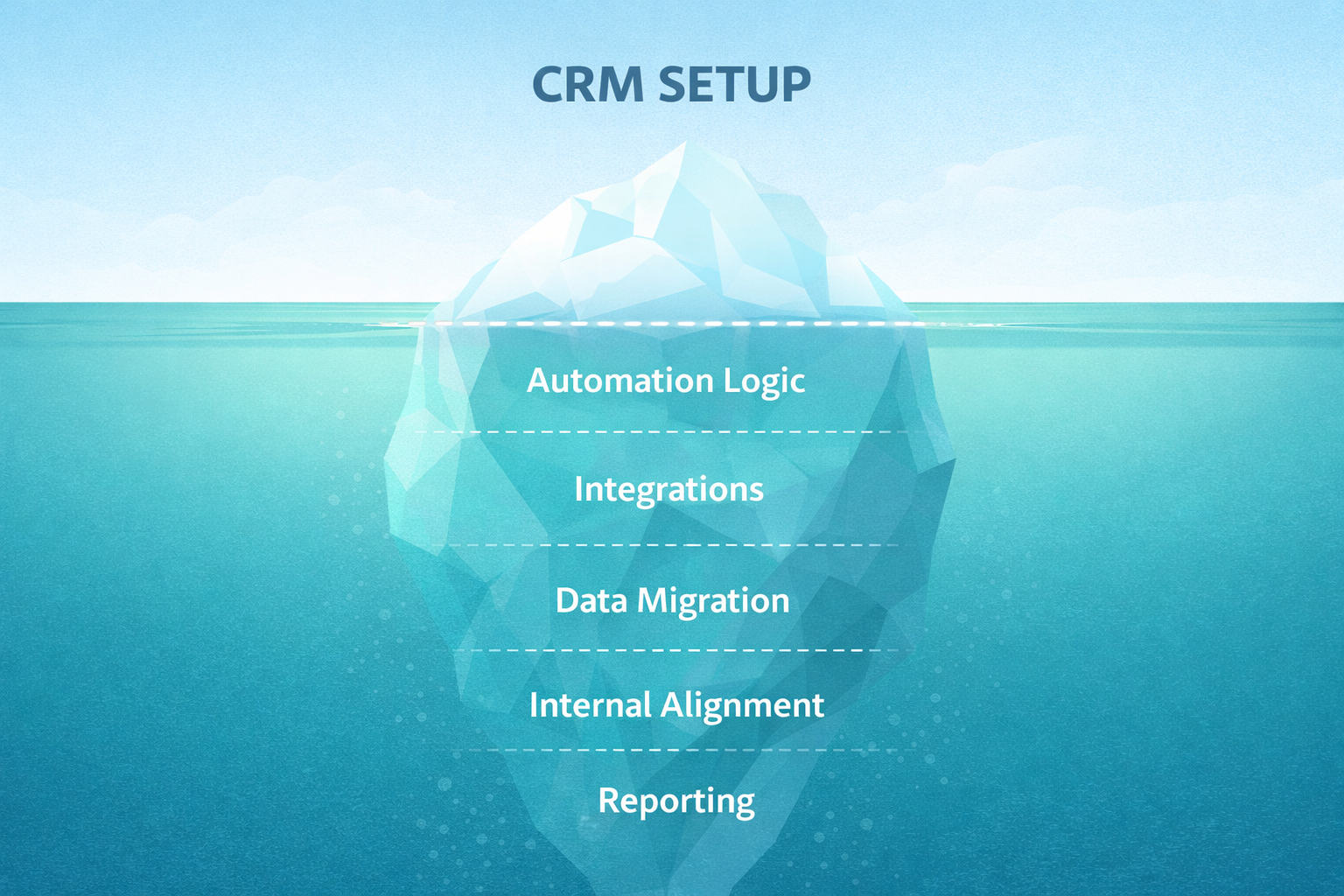
CRM and automation tools can do much more than most teams initially expect. But you only see that after properly analyzing your process.
What’s usually missing:
- CRM best practices
- what to automate not just to save time, but to improve results (e.g. follow-ups after proposals)
- what can be automated at all, especially with fast-developing AI tools
If you don’t go deep enough:
- automation stays basic
- reporting is limited
- parts of the process stay manual
You end up with a system that works, but not as well as it could.
One important note: if someone on your team has worked with a well-implemented CRM before, it helps a lot. Without that experience, it’s much harder to see what “good” looks like.
2. Technical details take more time than expected
This is where most time is lost.
You’ll run into questions like:
- which field types to use and where
- what should be mandatory and when
- when to use filters vs automation
- how to structure pipelines and relationships
- how to avoid duplicate data
- how to trigger updates based on changes
- how to generate documents automatically
- how to integrate CRM with other systems
These things are not obvious if you haven’t done them before.
So people start testing, redoing things, watching tutorials, fixing earlier decisions. This adds up quickly.
Consulting helps, but if you are implementing internally, you will still spend a lot of time here.
3. Time is usually underestimated
Most internal CRM implementations take 3–6 months (and are usually only partially finished).
Because:
- see point #2
- it’s not the main priority
- decisions take time
- new questions keep appearing
- scope keeps expanding (“let’s add this as well”, “can we automate this too?”)
Each of these looks small, but together they slow everything down.
4. Internal time cost is high
This is often ignored.
With a team of 6+ people, it’s very realistic to spend:
- tens of hours on analysis and setup
- hundreds more on testing and fixing
- ongoing time helping the team after launch
In total, this often becomes 200–500 hours.
5. Partial setups create double work
One of the most common outcomes:
The CRM is there, but:
- automation is incomplete
- integrations are missing
- data migration from different sources is done over a long period of time
So people work:
- partly in CRM
- partly in Excel
- partly in email
This is where things start to break down.
6. Adoption problems are usually practical
People don’t avoid CRM because they don’t like change.
They avoid it because:
- it creates extra work
- it slows them down
- it doesn’t match how they actually work
If the setup isn’t right, usage drops quickly.
7. Data migration is not just import
It sounds simple, but it isn’t.
You need to:
- clean the data
- remove duplicates
- map fields properly
- test everything
If you don’t, the system feels messy from the start.
8. Integrations add complexity
At some point you’ll want to connect:
- phone
- lead sources (web forms, Meta ads, etc.)
- accounting
- documents
- reporting
This is where things often get more complicated than expected. Especially if the sync is two-way.
So what’s the takeaway?
Internal CRM implementation can work.
But in most SME cases:
- it takes longer than expected
- it consumes more internal time than expected
- the result is not as strong as it could be
Internal CRM implementation checklist
If you still do it internally, at minimum:
- map your process before touching the CRM
- be clear what you want to achieve
- keep the first version simple
- remove double work wherever possible
- plan time for testing and fixing
- assign one person responsible
- plan what happens after launch and improve fast
Final thought
CRM looks simple from the outside.
In practice, it’s process, data, tools, and people.
If you go into it expecting real work, you’ll already be ahead of most teams.
.png)